Reverse Maze
A living maze that solves itself while you reshape it.
While modifying the maze by tearing down and bringing up the walls — instead of moving a token — you rewrite the maze. By sweeping to open and close walls, you can watch in real time how each tiny change ripples through all three solvers in real time.
Imagine two “explorers” (left-hand and right-hand Trémaux solvers) painting the grid in red and green as they solve the maze the way Charles Pierre Trémaux would do. At each step as they trace the grid, cells turn red, green and yellow to indicate whether each cell is on the left-hand, right-hand or both Trémaux explorers’ solution. That is, only if the maze is solvable at all. If not, the whole maze just remains a dull gray.
In addition, a thin white line through the maze shows a path computed using a different algorithm (Breadth-first search). If the maze is solvable at any point in time while you are dragging through the cells, this is the truly shortest path through the maze.
Clicking the maze thumbnail below will bring you to the Reverse Maze app, in a new tab. As it is just a quick demo, it has a few limitations:
- The state of the app is not saved, so the grid will reset whenever you re-load the page.
- The app has been tested using Chrome and Safari on macOS, and using FireFox on Ubuntu Linux. Go ahead and try it in your favorite browser/platform. I’d love to hear how it works in various settings (leave a comment).
- The app is hosted in the cloud (on AWS) to make it consistently available.
Below is the app embedded inside the current page.
The tabs along the top reveal different size mazes.
| Column | Size | Note |
| 4 | 4×4 maze | Try: Explore how many solution paths are possible |
| 6 | 6×6 maze | More space. More possibilities. |
| 8 | 8×8 maze | Chessboard size |
| A | 10×10 maze | 0x0A is hexadecimal for 10 |
| C | 12×12 maze | 0x0C is hexadecimal for 12 |
| H | 16×16 maze | Great for making Hilbert curves or anything else that needs a lot of cells to play with |
The smaller mazes along the right side are live (though too small to use practically). They are just there for seeing how a multi-maze layout might look.
Examples
The following screen shot shows what the Reverse Maze app looked like in an older version. The current version is quite different, as it’s a work-in-progress. I’ll be adding features from time to time.
Clicking the following screenshot will open the current version of the app (same as the above embedded app) in a new tab.
This image was created from the app’s “8” tab (8×8 maze) by first tapping the “Close” button on the left side the maze, and then dragging out a somewhat Hilbert-like path from the start to the finish cells.
A Hilbert space-filling curve is a continuous fractal.
Wikipedia: Hilbert_curve)
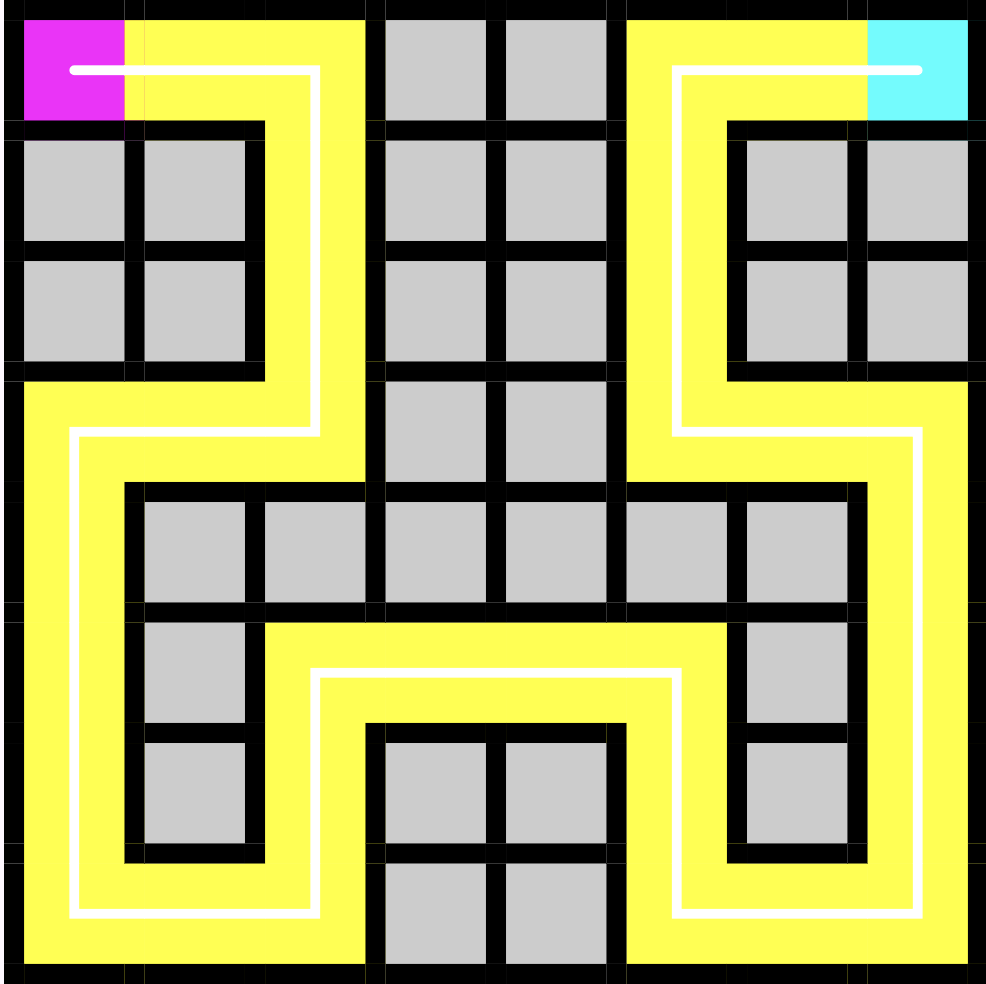
And here is a deeper level of the Hilbert curve, using just a single cell movement for each line segment.
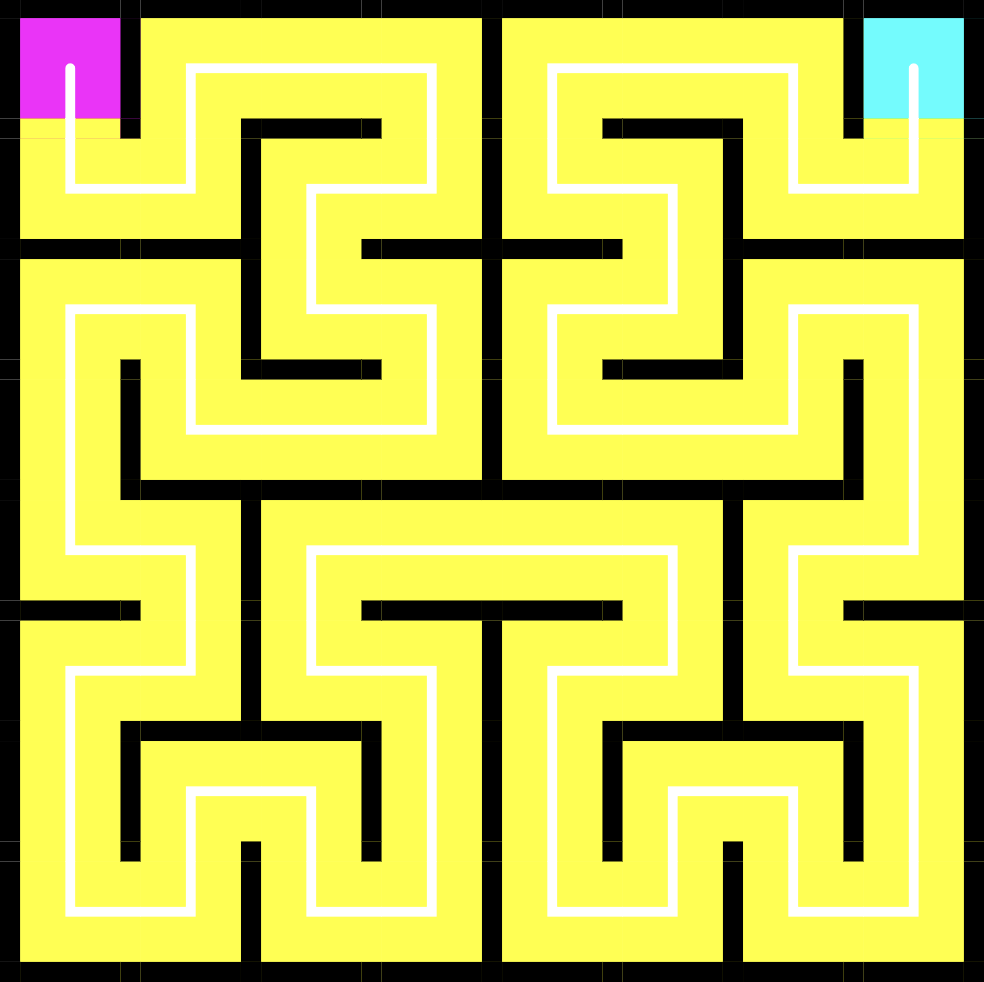
Both of these are special solutions to the maze. Interesting starting points for exploring the interactive behavior of Reverse Maze.
What to Try
Try dragging a square or rectangular path in various locations of the maze. e.g. start at any cell, go RIGHT, DOWN, LEFT and UP. Then lift your finger or pointing device. See what happens. Try other rectangular paths. Try whatever oath idea comes to you.
See what you can do using any of the various size mazes using any of this app’s tabs. We’d love to see what you come up with. (You can send muvicado a screen shot)
To run the latest production app (in a new tab) click this thumbnail…
To run the latest test version (in a new tab) click this thumbnail…
And to run the latest version, click…
Coming Soon
Interactive features, such as displaying real-time indication of attributes derived from the maze’s current state, updated each time you drag from cell to cell.